
MIDA Replay Heatmaps Integration
If you also use MIDA Replay, Heatmap & Insight, connect it with MIDA Fraud. MIDA Fraud then shares its bot-detection results with MIDA Replay Heatmaps, so bot and suspicious sessions are kept out of your recordings and your analytics show real shopper behavior.
How It Works
Section titled “How It Works”- A visitor opens your store, which has both apps installed.
- MIDA Fraud IP Blocker checks the visitor first and classifies the traffic, for example as a bot or a high-risk customer.
- MIDA Fraud decides whether to block the visitor.
- MIDA Replay Heatmaps records only verified, trusted sessions.
- Your heatmaps and replays show real shopper behavior without bot noise.
Turn On the Integration
Section titled “Turn On the Integration”- Install MIDA Replay, Heatmap & Insight from the Shopify App Store, if you haven’t already. It has a free plan.
- In the MIDA Fraud app, go to Settings and find MIDA Replay Heatmaps Integration.
- Click Turn on (1).
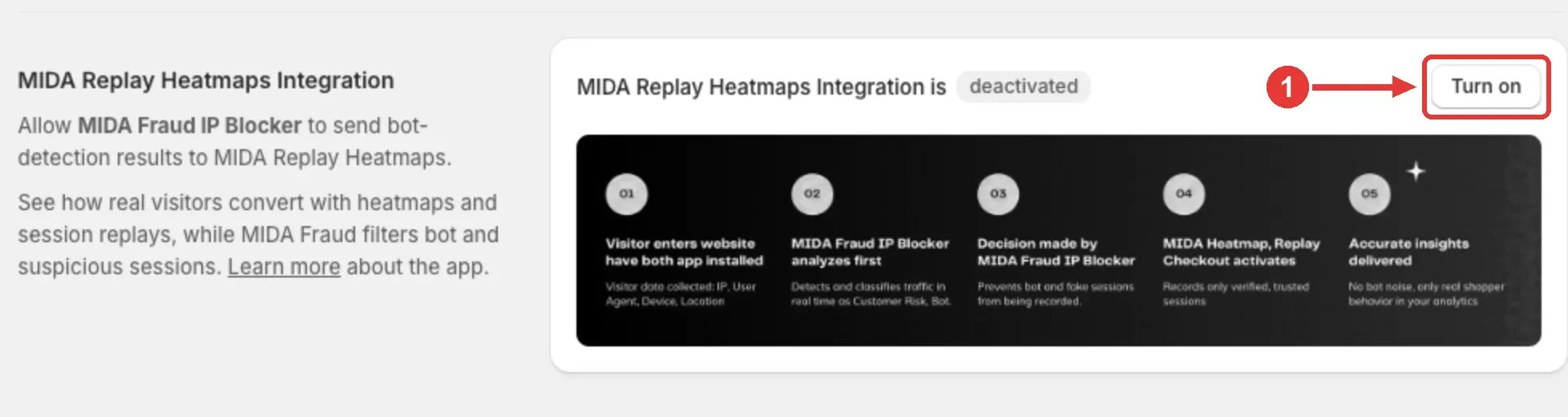
When it’s on, the section shows MIDA Replay Heatmaps Integration is activated. To stop sharing results, click Turn off.
If MIDA Replay Heatmaps isn’t installed or enabled on your store, the section shows Not connected with a link to install it.
The integration is available on all plans.
If you have any questions, feel free to contact us via Crisp Chat or email us at [email protected].