
Protecting Storefront Content
Content Protection helps reduce unauthorized copying and casual scraping of your storefront by disabling common browser actions that are often used to copy content or inspect page elements.
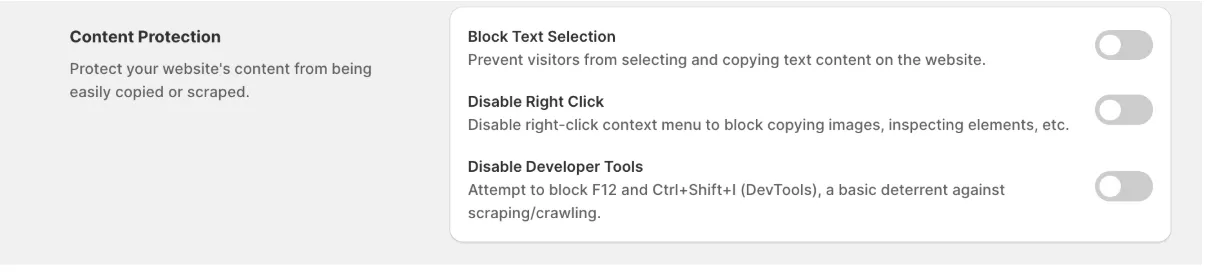
Configure Content Protection
Section titled “Configure Content Protection”Go to Content Protection and enable the protections that best suit your store.
The available options include:
Block Text Selection
Section titled “Block Text Selection”Prevents visitors from selecting and copying text displayed on your storefront.
This helps discourage copying of product descriptions, promotional content, and other text-based information.
Disable Right Click
Section titled “Disable Right Click”Disables the browser’s right-click context menu.
This makes it more difficult for visitors to:
- Copy images
- Copy text
- Save images
- Inspect page elements using the context menu
Disable Developer Tools
Section titled “Disable Developer Tools”Attempts to block common browser shortcuts used to open Developer Tools, including:
- F12
- Ctrl + Shift + I
- Other commonly used inspection shortcuts
This provides a basic deterrent against casual scraping, automated browsing, and content inspection.
Important Limitations
Section titled “Important Limitations”Content Protection adds an extra layer of security against casual copying and automated scraping.
However, because these protections run in the visitor’s browser, they cannot completely prevent determined users or advanced bots from accessing publicly available content.
For the best protection, we recommend using Content Protection together with MIDA’s blocking rules and bot detection features.
If you have any questions, feel free to contact us via Crisp Chat or email us at [email protected].