
Global vs Page-Specific
MIDA Fraud IP Blocker allows you to create either Global Rules or Page-Specific Rules, depending on where you want the rule to be applied.
Global Rules
Section titled “Global Rules”Global Rules apply to every page of your Shopify store.
Once a Global Rule is enabled, MIDA evaluates all visitors regardless of which page they access.

Use Global Rules when you want to:
Section titled “Use Global Rules when you want to:”- Block visitors across your entire store.
- Apply the same protection to every page.
- Create store-wide security policies.
Page-Specific Rules
Section titled “Page-Specific Rules”Page-Specific Rules only apply to the pages you select.
Instead of affecting your entire store, these rules are triggered only when visitors access the specified pages or URLs.
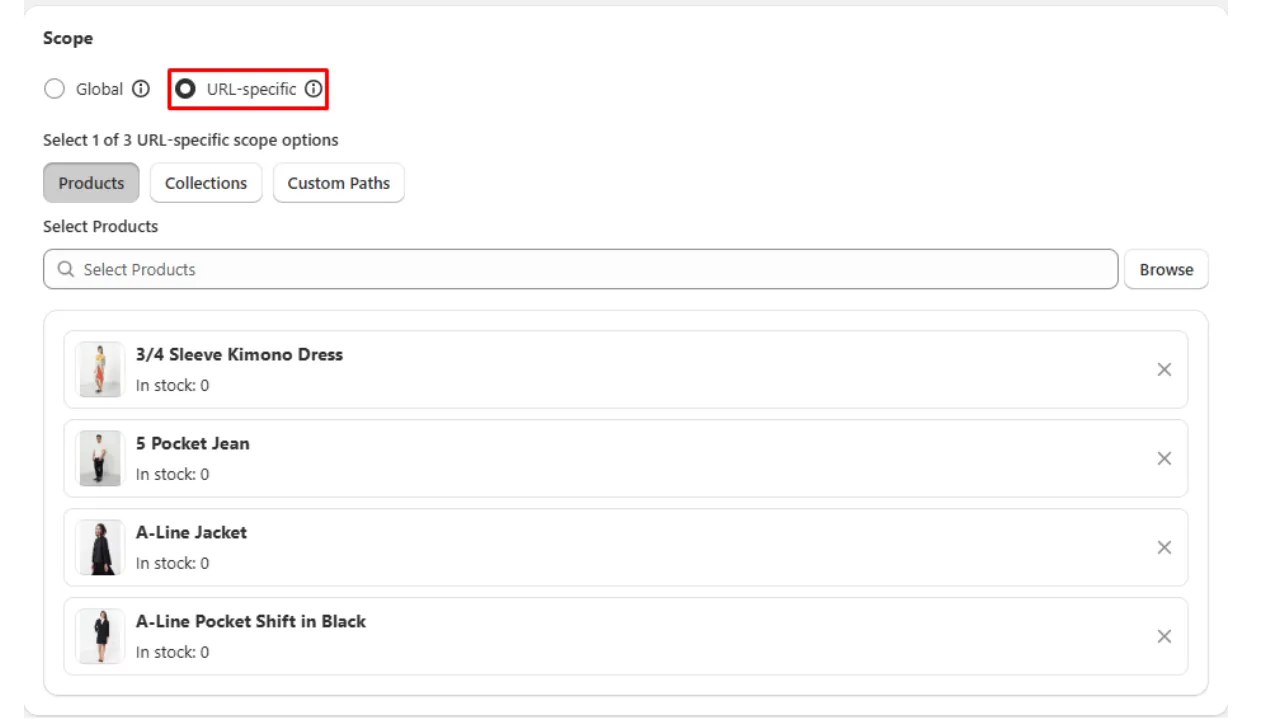
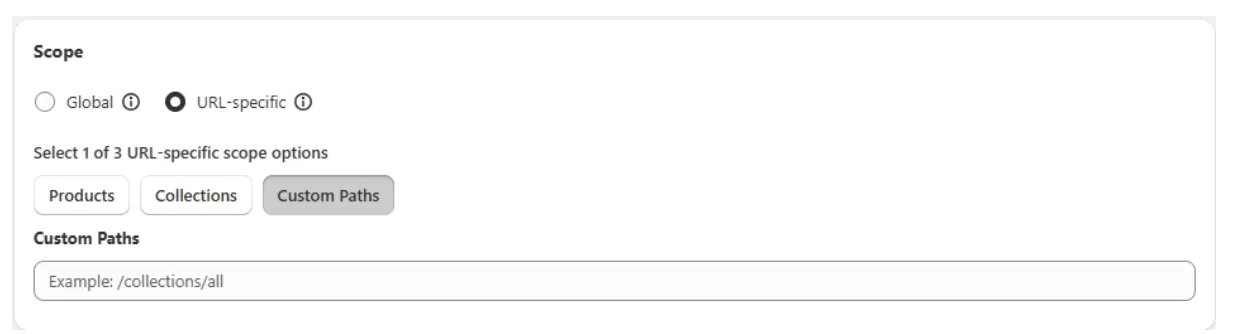
You can create Page-Specific Rules for pages such as:
- Product pages
- Collection pages
- Landing pages
- Custom URL paths
- Other supported page types
Which One Should You Use?
Section titled “Which One Should You Use?”- Choose Global Rules when the same protection should apply across your entire store.
- Choose Page-Specific Rules when different pages require different security settings or visitor behaviors.
For example, you may want stricter protection on checkout or promotional landing pages while allowing normal access to the rest of your store.
If you have any questions, feel free to contact us via Crisp Chat or email us at [email protected].