
Block Checkout
Block Checkout helps prevent unwanted orders by stopping customers from completing checkout when they match conditions you define.
Instead of canceling fraudulent or invalid orders after they are placed, Block Checkout stops them before payment is completed, helping reduce fraud, spam, and policy violations.
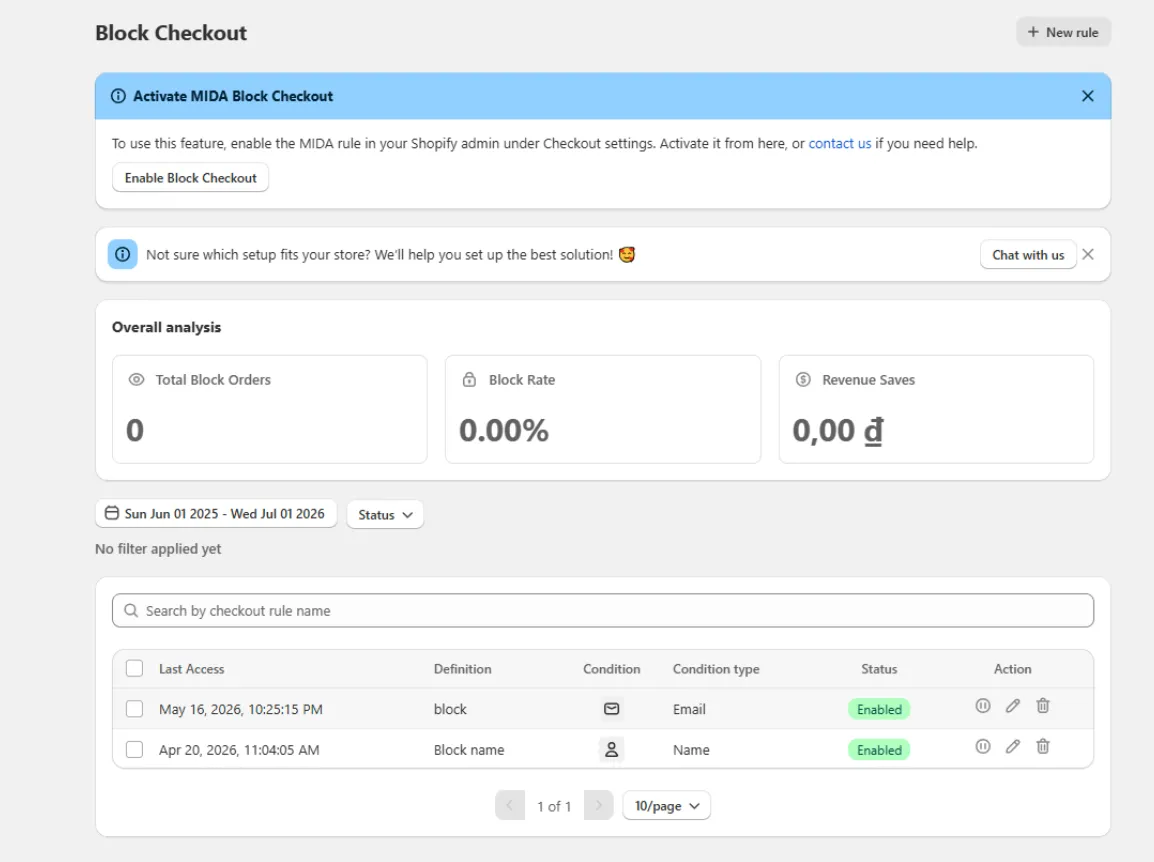
How Block Checkout Works
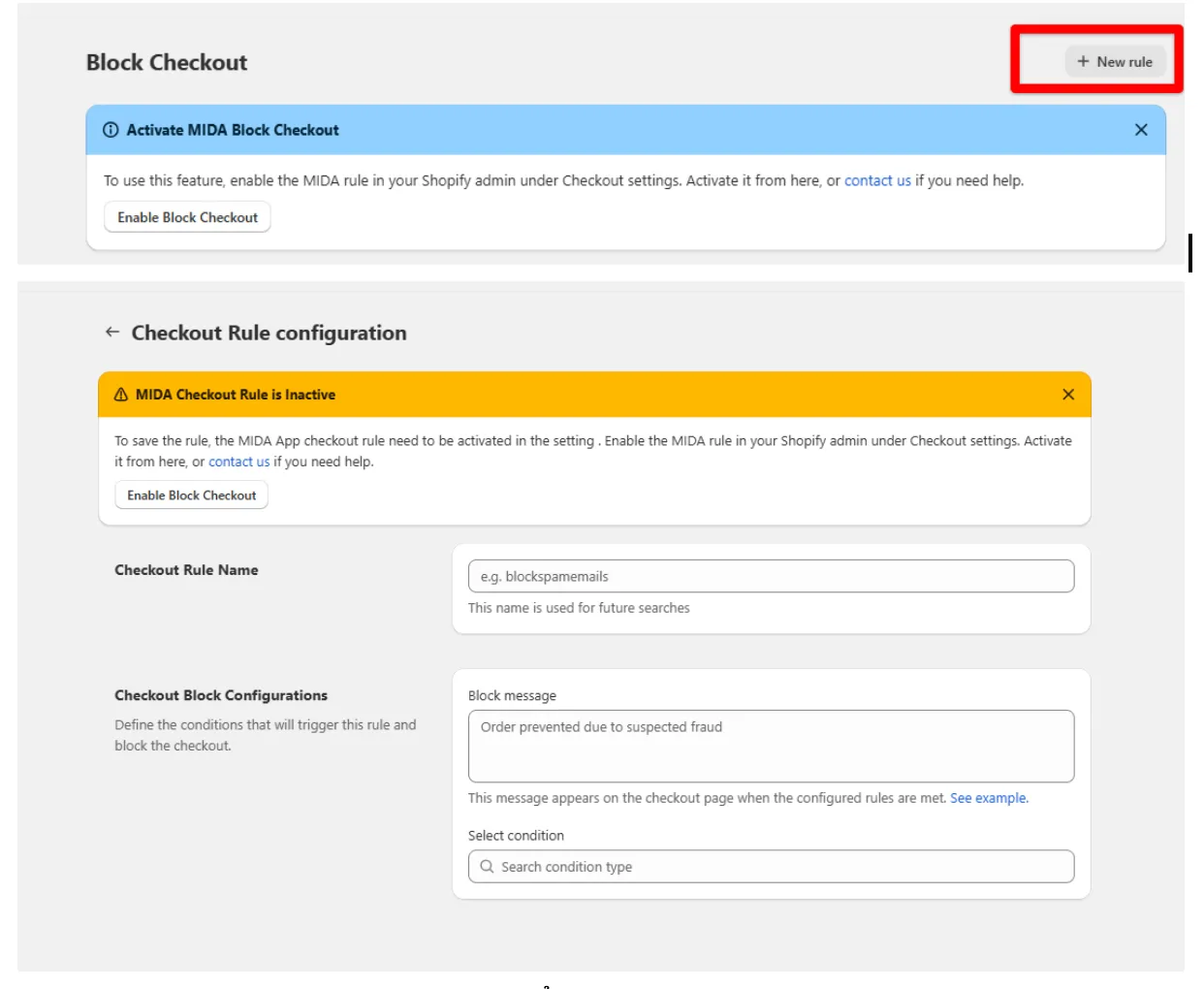
Section titled “How Block Checkout Works”To create a Block Checkout rule:
- Give the rule a name.
- (Optional) Enter a custom block message.
- Select one blocking conditions.
- Activate the rule.
When a customer reaches checkout, MIDA evaluates the customer’s information against your configured conditions.
If a match is found, checkout is immediately blocked and your custom message is displayed.
Available Conditions
Section titled “Available Conditions”You can create Block Checkout rules using the following conditions:
| Condition | Description |
|---|---|
| Block specific email addresses or email patterns. | |
| Name | Block customers using specific names. |
| Phone Number | Block specific phone numbers. |
| Country | Prevent customers from selected countries from checking out. |
| ZIP Code | Restrict checkout based on postal or ZIP codes. |
| Cart Value | Block orders above or below a specified amount. |
What Happens When a Customer Is Blocked?
Section titled “What Happens When a Customer Is Blocked?”If a customer matches one of your Block Checkout rules:
- Checkout cannot be completed.
- Your configured block message is displayed.
- No order is created.
- No payment is processed.
Can I Customize the Block Message?
Section titled “Can I Customize the Block Message?”Yes.
You can configure a custom message for each Block Checkout rule to explain why checkout is unavailable or provide further instructions to the customer.
If no custom message is provided, MIDA displays the default block message.
Will Blocked Customers Be Charged?
Section titled “Will Blocked Customers Be Charged?”No.
Because checkout is stopped before completion, customers are not charged, and no order is submitted to Shopify.
Can I Temporarily Disable a Rule?
Section titled “Can I Temporarily Disable a Rule?”Yes.
You can disable any Block Checkout rule at any time without deleting it.
Disabled rules remain saved in your account but will not affect customers until they are enabled again.
Enable Checkout Validation
Section titled “Enable Checkout Validation”Before Block Checkout can protect your store, you must activate the MIDA Checkout Validation extension in your Shopify Checkout settings.
If Checkout Validation is not enabled:
- Block Checkout rules cannot be saved or applied.
- Customers will not be blocked during checkout.
Make sure Checkout Validation is enabled before creating your first Block Checkout rule.
If you have any questions, feel free to contact us via Crisp Chat or email us at [email protected].