
What is user agent?
A user agent is a text string that a browser, bot, or automation tool sends every time it requests a page. It tells the website what software is making the request, such as the browser name, version, and operating system.
Example:
Mozilla/5.0 (Macintosh; Intel Mac OS X 10_15_7) AppleWebKit/537.36 (KHTML, like Gecko) Chrome/120.0.0.0 Safari/537.36How MIDA Uses User Agents
Section titled “How MIDA Uses User Agents”- Bot Protection checks the user agent to find unknown clients, headless browsers, and crawlers that pretend to be Googlebot or other known bots. See Bot Detection & Blocking.
- User Agent rules let you block (or allow) specific automation tools.
Create a User Agent Rule
Section titled “Create a User Agent Rule”-
In the MIDA Fraud app, go to Blocking Rules and select User Agent.
-
Select Blacklist and click Create rule.
-
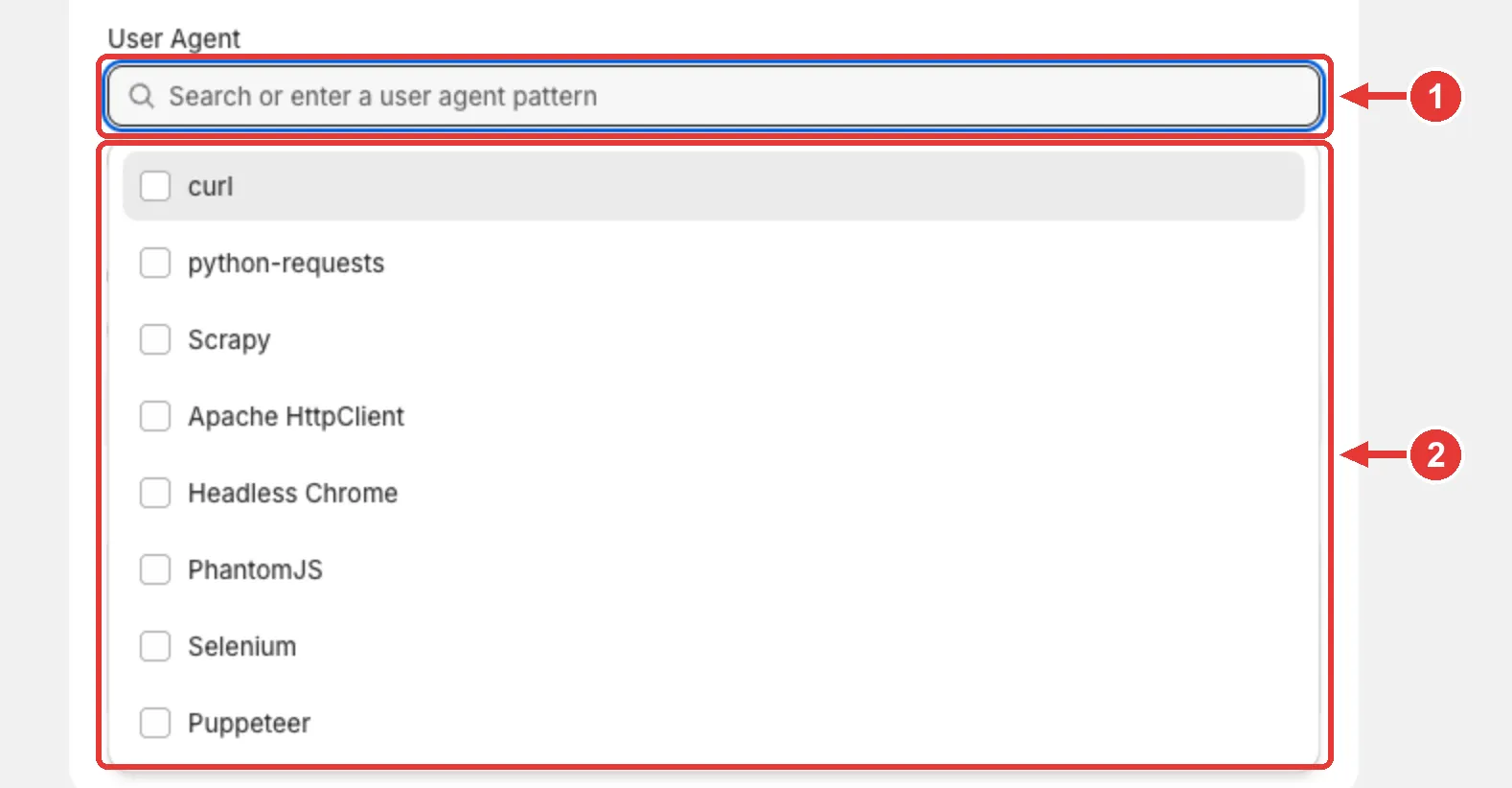
Click the User Agent field (1) and select the tools you want to block from the list (2), or select All user agent.
-
Click Save.
See Creating Rules for the full form.
Supported tools
Section titled “Supported tools”MIDA detects these 8 automation tools:
| Type | Tools |
|---|---|
| Headless browsers and automation | Headless Chrome, PhantomJS, Selenium, Puppeteer |
| Scraping and script clients | curl, python-requests, Scrapy, Apache HttpClient |
MIDA checks more than the user agent text, so tools are detected even when they try to look like a normal browser in some cases.
Good to Know
Section titled “Good to Know”- User Agent rules need the Unlimited or Plus plan. See Pricing Plans & Feature Limits.
- Advanced bots can fake their user agent. Combine User Agent rules with Bot Protection, IP, ISP, and VPN blocking for the best results.
If you have any questions, feel free to contact us via Crisp Chat or email us at [email protected].