
Name Blocking
Fraudsters and bots often sign up with fake names like aHkRtYxPvLmNqZ or qwerty123. Name blocking detects these names and shows the customer your block page.
MIDA checks the first and last name of customers who are signed in to a customer account in your store. Visitors who aren’t signed in are not affected.
Turn On Name Blocking
Section titled “Turn On Name Blocking”- In the MIDA Fraud app, go to Blocking Rules and select Names.
- Under Detection Rules, select the rules you want to use.
- Click Save at the top of the page.
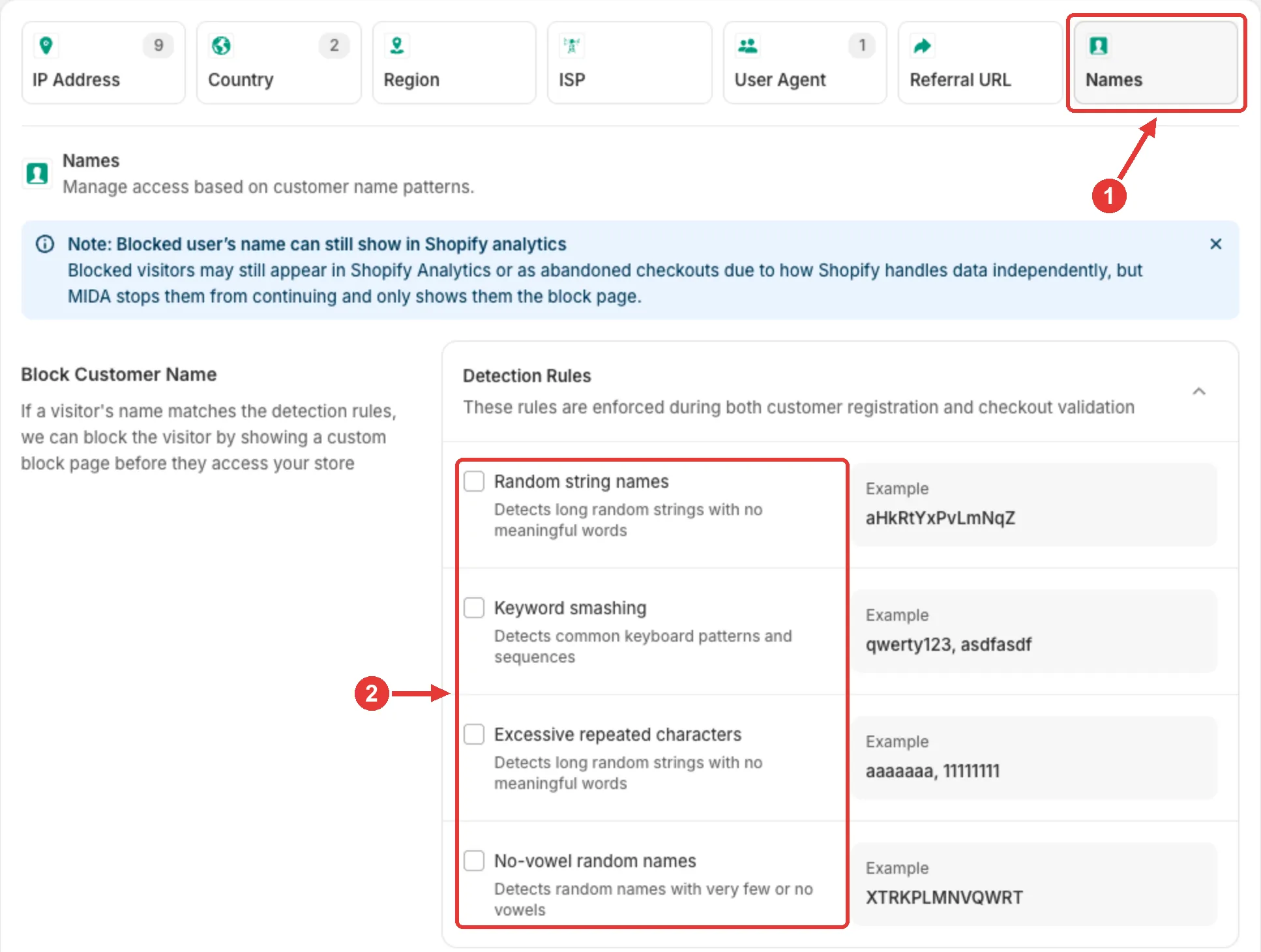
Detection Rules
Section titled “Detection Rules”| Rule | What it blocks | Example |
|---|---|---|
| Random string names | Long names (8+ characters) that mix upper and lower case with very few vowels | aHkRtYxPvLmNqZ |
| Keyword smashing | Keyboard patterns and placeholder words, such as qwerty, asdf, 12345, test, admin, guest, or example | qwerty123, asdfasdf |
| Excessive repeated characters | The same character 5 or more times in a row | aaaaaaa, 11111111 |
| No-vowel random names | Names of 4+ characters with no vowels or almost none | XTRKPLMNVQWRT |
A customer is blocked if their first name or last name matches any rule you turned on.
Good to Know
Section titled “Good to Know”- Name blocking runs only for visitors who don’t match any of your Blacklist or Whitelist rules. A customer on your Whitelist is never blocked by name. See Overall Workflow.
- Blocked customers may still appear in Shopify Analytics or as abandoned checkouts, because Shopify records data on its own. MIDA stops them from continuing and only shows them the block page.
- To block fake names at checkout, use the Name condition in Checkout rules.
- Name blocking is available on the Advanced plan and above. See Pricing Plans & Feature Limits.
If you have any questions, feel free to contact us via Crisp Chat or email us at [email protected].