
Enable app embed
You need to enable app embed block for in-app features can work properly.
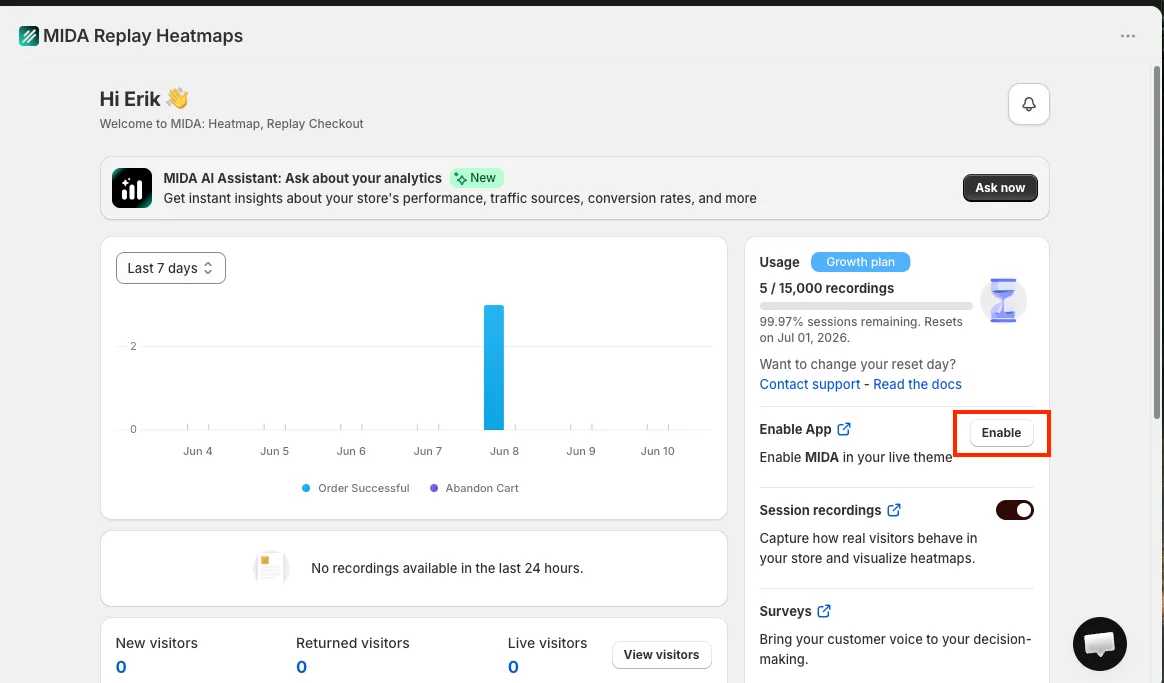
Step 1: Click on the button “Enable app” in the banner.
You will be redirected to the page of current theme editor with MIDA app embed is enabled.
Step 2: Make sure that MIDA app embed is enabled and click “Save”.
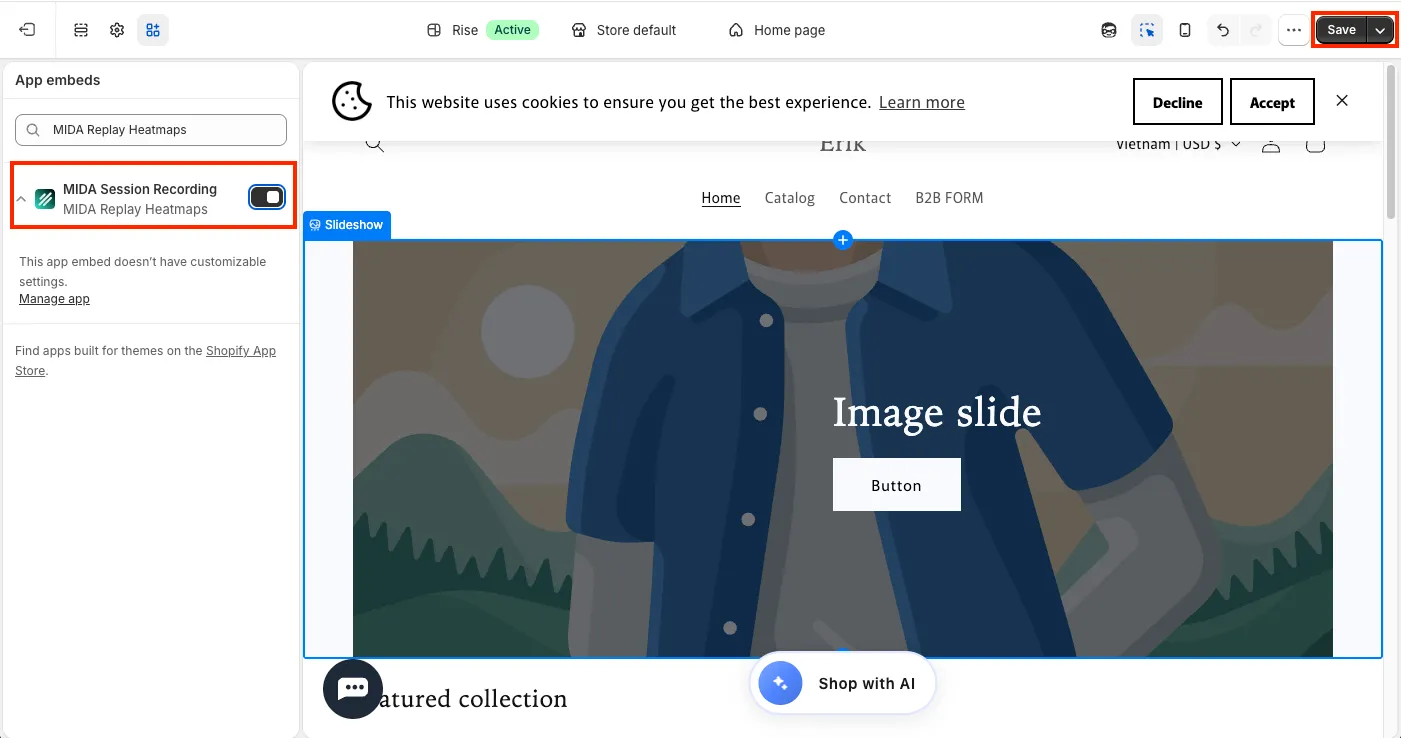
Please note that if you change your theme, you need to enable MIDA app embed again.
If you have any questions, feel free to contact us via Crisp Chat or email us at [email protected].