
How can I block my team's or colleague's IP addresses from being recorded?
If you want to keep your analytics clean and free from internal traffic, MIDA gives you a couple of ways to block your team’s or colleagues’ IP addresses from being recorded.
On a Free Plan:
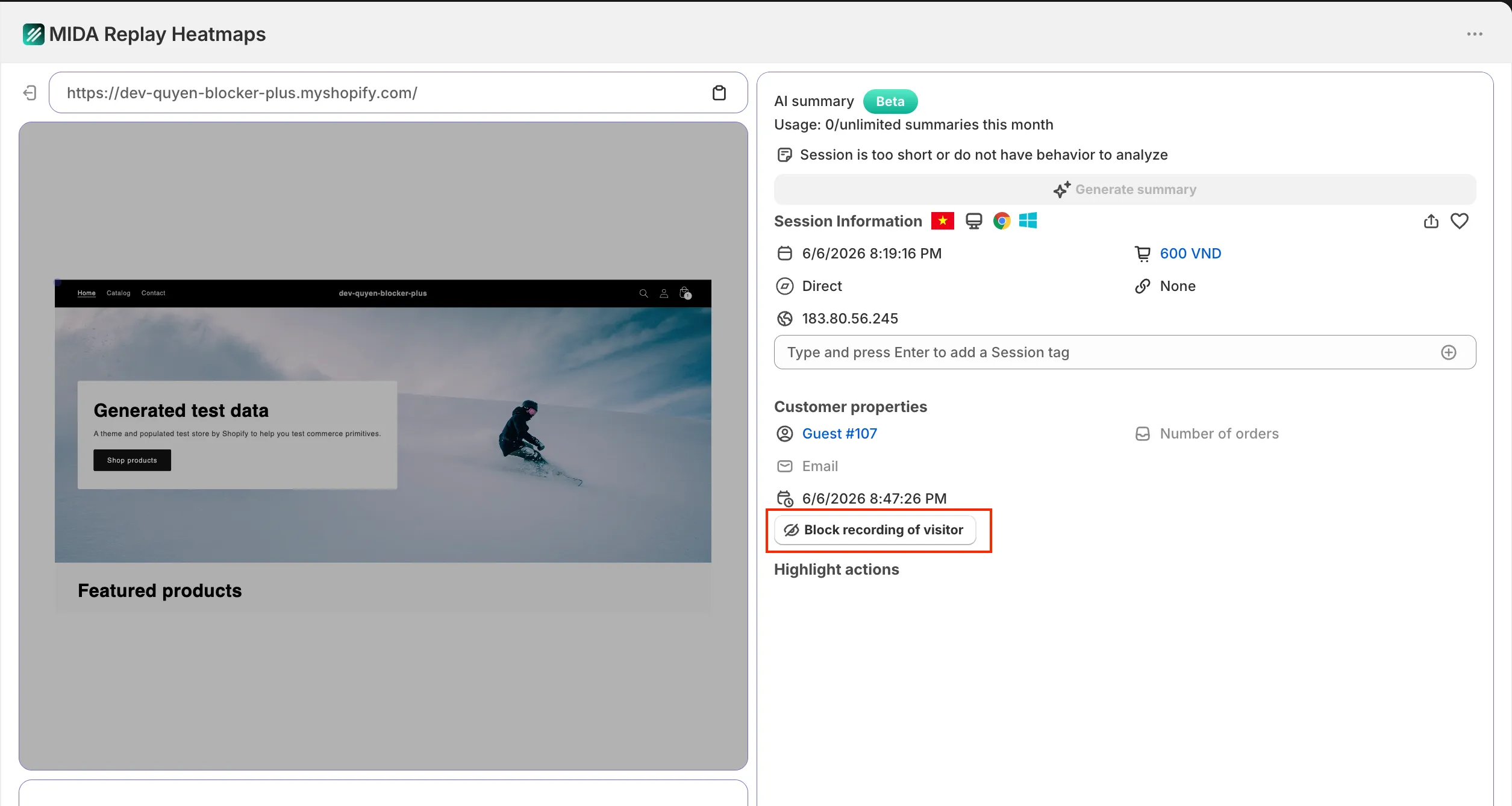
You can manually block individual recordings directly from the session list. Simply identify the session you wish to exclude and click “Block Recording of Visitor” on the right side of the recording. This is a quick way to prevent specific internal sessions from being tracked.
On a Paid Plan (Basic and above):
The full IP Exclusion feature is available on all paid plans. With this, you can manage exclusions for multiple IP addresses as well as entire countries — giving you more control over your data accuracy at scale.
If you have any questions, feel free to contact us via Crisp Chat or email us at [email protected].