
How to Upgrade
Upgrading your plan gives you immediate access to higher session limits and more advanced features. Upgrades take effect right away.
Before you upgrade
Section titled “Before you upgrade”A few things worth knowing:
- Upgrades are immediate. Your new session limit and features unlock as soon as the upgrade is approved.
- Billing is handled by Shopify. All charges appear on your regular Shopify invoice, so there’s no separate payment step inside MIDA.
- Your data stays intact. Upgrading never affects your existing recordings, heatmaps, or analytics history.
Steps to upgrade
Section titled “Steps to upgrade”Step 1: Open the MIDA Heatmap app from your Shopify admin.
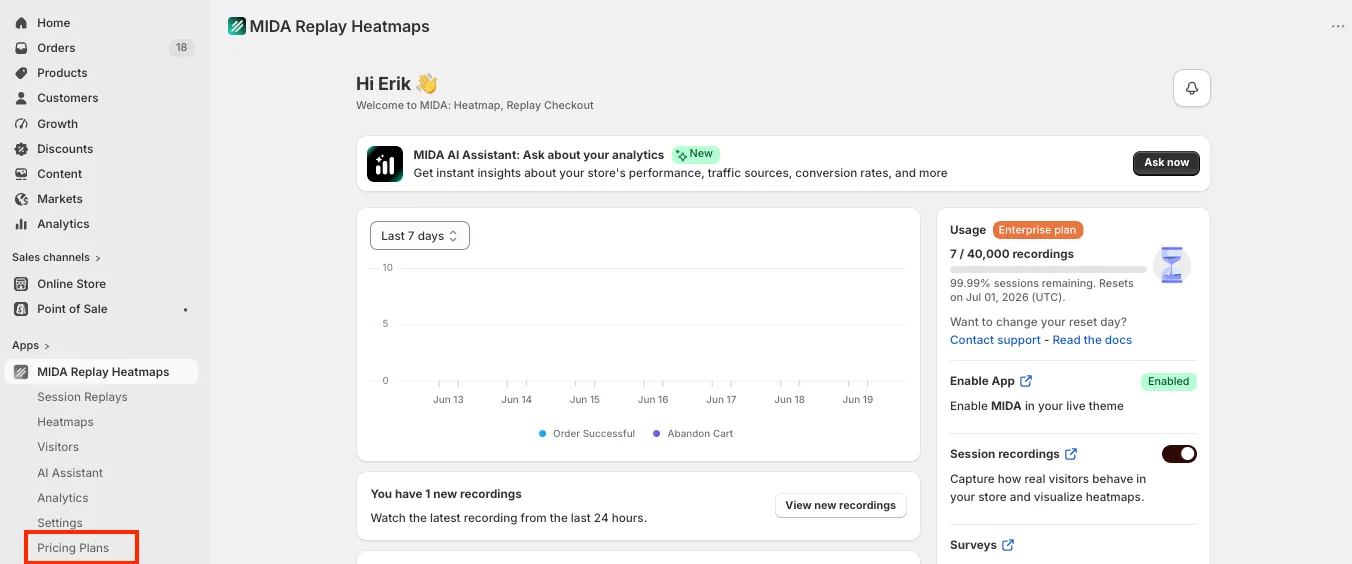
Step 2: Go to the Plans (or Pricing) section. You can reach it from the main menu, or from any in-app prompt inviting you to upgrade.
Step 3: Review the available plans and select the one you want to move up to. Each plan shows its session limit and included features so you can confirm it fits your needs.
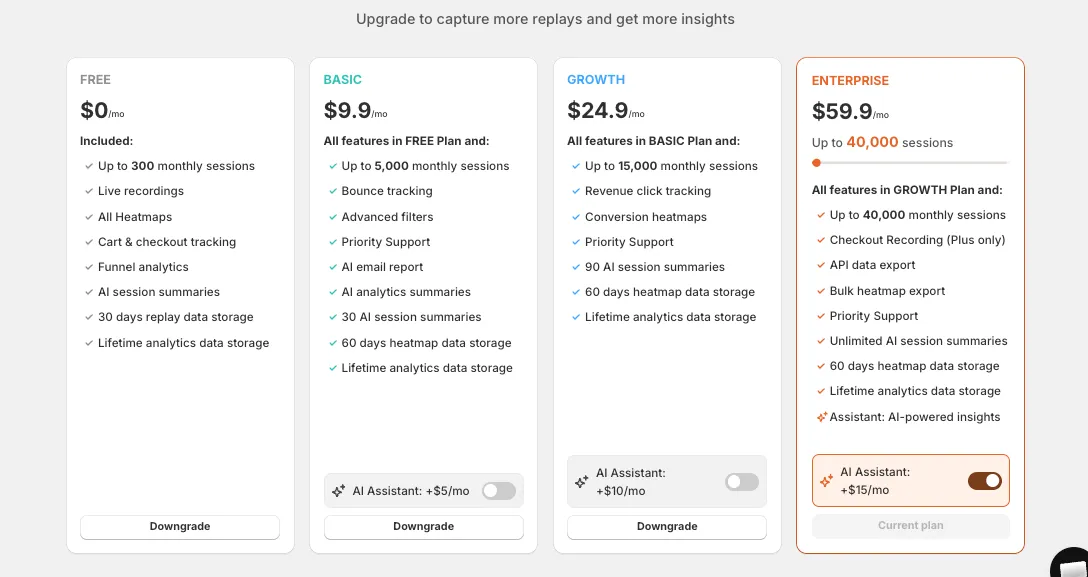
Step 4: Click Upgrade (or Select plan) on your chosen plan. You’ll be taken to Shopify’s approval screen.
Step 5: Review the charge on Shopify’s confirmation screen and approve it. This is Shopify’s standard billing approval — the amount shown is what will be added to your Shopify invoice.
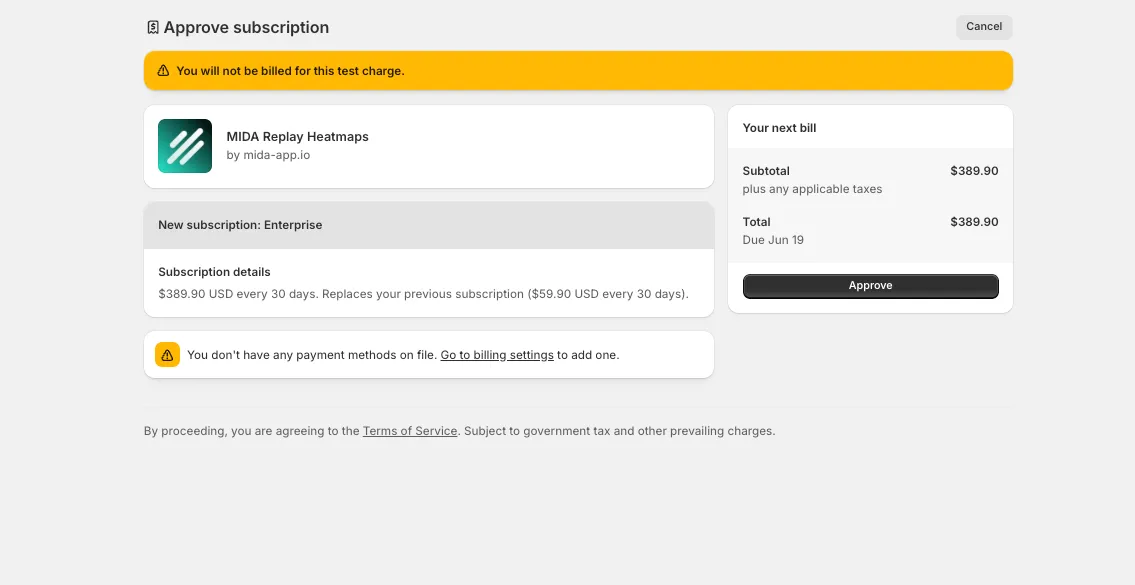
Step 6: Once approved, you’re returned to MIDA and your new plan is active immediately. Your higher session limit and new features are available straight away.
Adding the AI Assistant add-on
Section titled “Adding the AI Assistant add-on”The AI Assistant is a separate add-on rather than part of the base plan. If you’d like to add it:
- Open the Plans section and enable the AI Assistant add-on for your current plan.
- The add-on price depends on your plan tier (Basic +$5/mo, Growth +$10/mo, Enterprise +$15/mo).
- Like a plan upgrade, the charge is approved through Shopify and the add-on activates immediately.
Need more sessions on Enterprise?
Section titled “Need more sessions on Enterprise?”If you’re on the Enterprise plan and approaching your session limit, you can add capacity in blocks of 5,000 sessions for an additional $10/month each, without changing your whole plan. Reach out to our team and we’ll set this up for you.
Questions about upgrading?
Section titled “Questions about upgrading?”If you’re unsure which plan suits your traffic, or you’re planning a large jump in volume, we’re happy to help you choose.
If you have any questions, feel free to contact us via Crisp Chat or email us at [email protected].