
Share Heatmaps
To share heatmap(s) from MIDA, follow these steps:
Step 1: Go to the “Heatmaps” section of the app.
.DimiV7Ec_1TPyBa.webp)
Step 2: Filter the date range and select Device type of Heatmaps.
.lRRTlMge_2mzNRd.webp)
Step 3: Choose the page that you want to analyze from the list of pages available.
.B7FW6caf_23PHGG.webp)
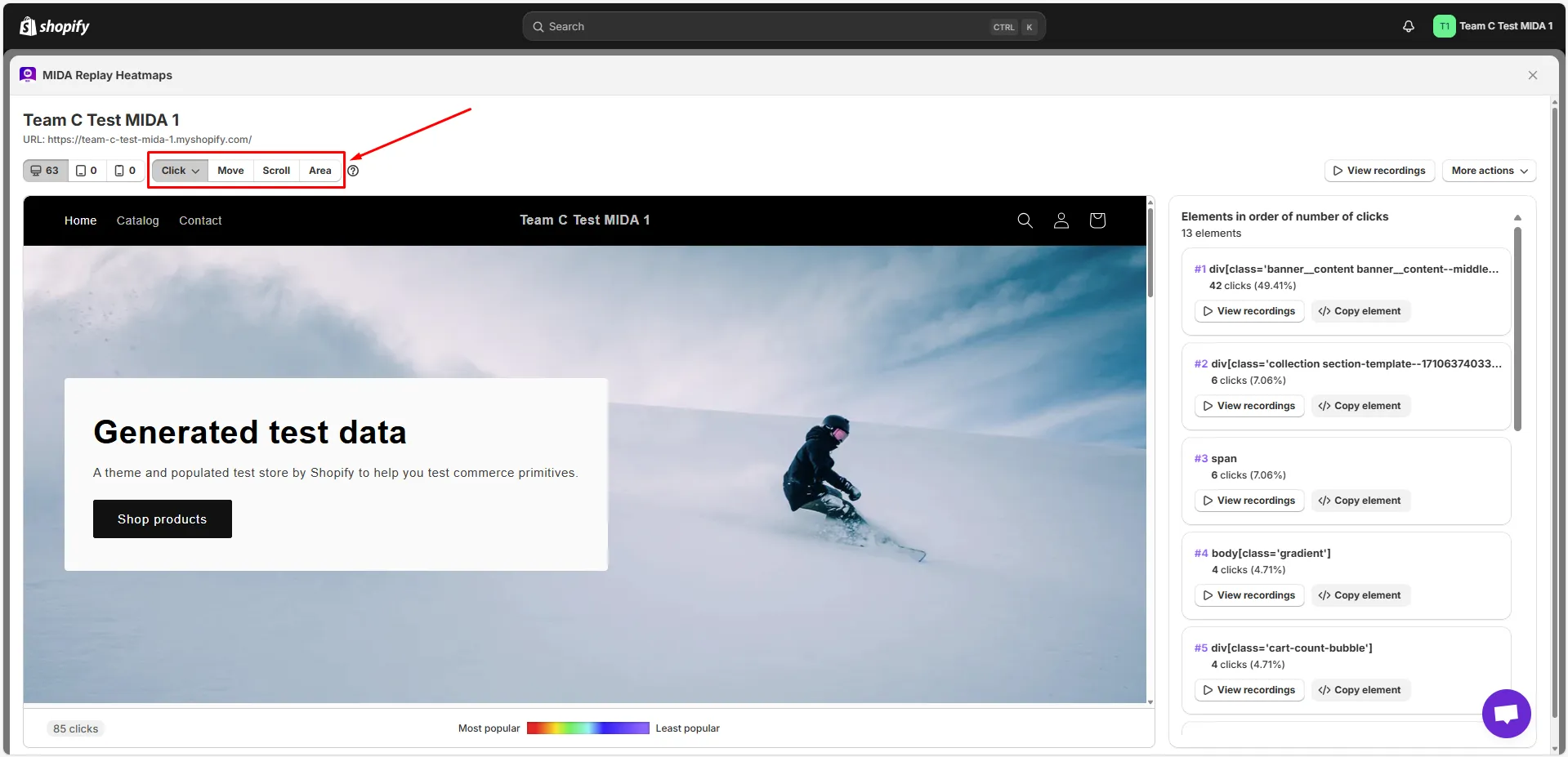
Step 4: Choose the type of heatmap you want to use from the available options: Click, Move, Scroll, or Area.
Step 5: Click on Share button and Copy link to share.
A pop-up will display the Share Link and you can Copy it. Once you’ve done copied, click Done to close the pop up.
.JRteIXvG_256ab0.webp)
If you have any questions, feel free to contact us via Crisp Chat or email us at [email protected].