
Advanced Rule Configuration
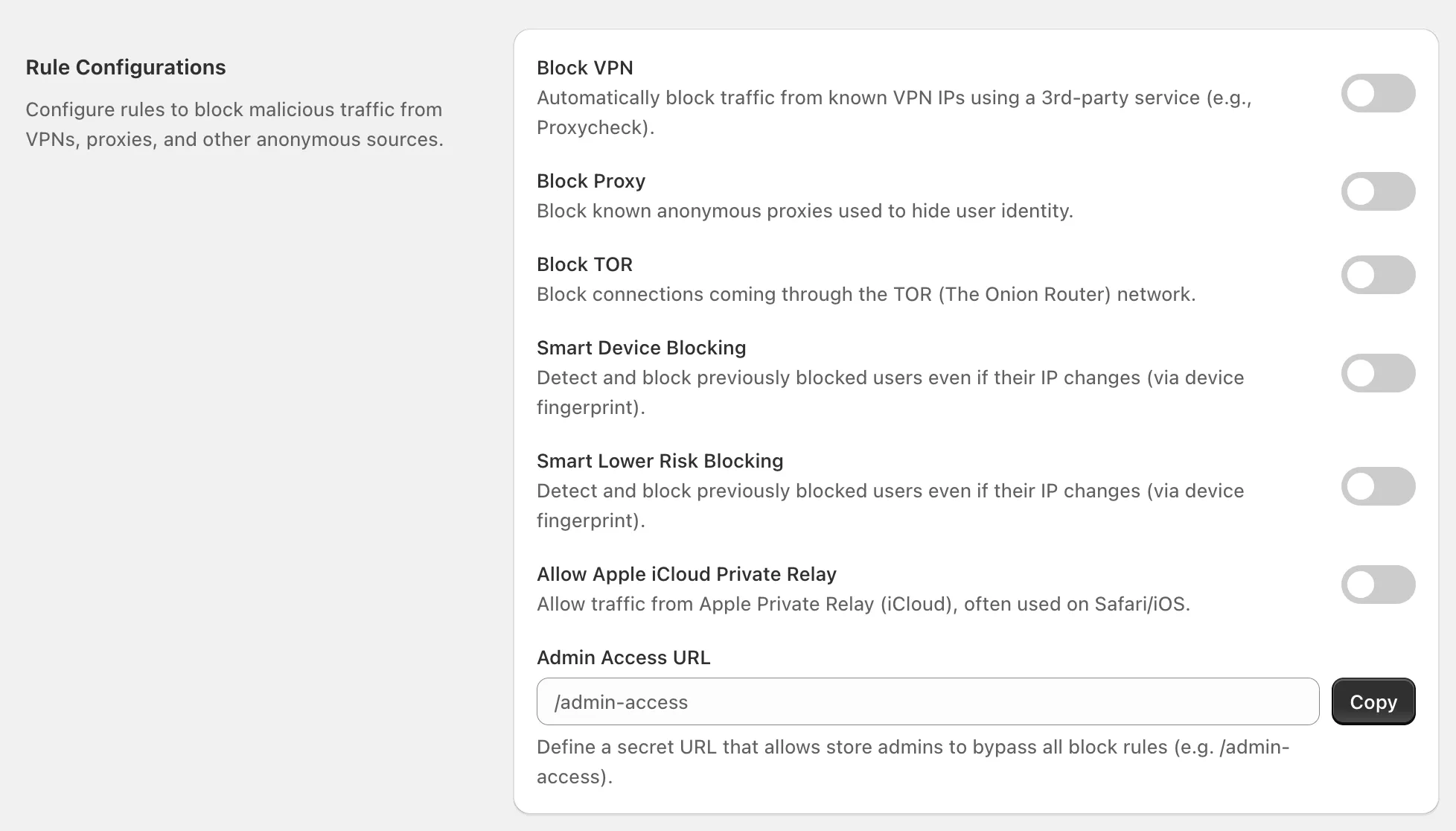
1. Block VPN
Section titled “1. Block VPN”- What it does: Blocks visitors using known VPN IP addresses.
- How: Uses a 3rd-party service (e.g., Proxycheck) to identify VPN traffic.
- When to use: Recommended if you want to stop fraudsters hiding behind VPNs.
- ⚠️ Note: Some legitimate customers also use VPNs, so review analytics before enabling.
2. Block Proxy
Section titled “2. Block Proxy”- What it does: Blocks visitors using anonymous proxy servers to hide their identity.
- When to use: Useful to prevent bot farms or attackers masking their origin.
3. Block TOR
Section titled “3. Block TOR”- What it does: Blocks all connections from the TOR network (The Onion Router).
- When to use: TOR is often used for anonymity in fraud attempts, but may block some privacy-conscious users too.
4. Smart Device Blocking
Section titled “4. Smart Device Blocking”- What it does: Detects and blocks previously blocked users even if their IP changes.
- How: Uses device fingerprinting (browser/device identifiers) to recognize returning devices.
- Benefit: Stronger than static IP blocking.
5. Smart Lower Risk Blocking
Section titled “5. Smart Lower Risk Blocking”- What it does: Detects risky traffic or orders (based on fraud scoring) and blocks them automatically.
- How: Feature combining Shopify’s Fraud Analysis + device/IP information.
- Use Case: Automate blocking of repeat high-risk orders.
6. Allow Apple iCloud Private Relay
Section titled “6. Allow Apple iCloud Private Relay”- What it does: Allows visitors browsing via Apple’s iCloud Private Relay service.
- Why: Many Safari/iOS users enable this privacy feature, which can appear as masked IPs.
- Tip: Keep enabled if you serve many Apple users, to avoid blocking legitimate customers.
7. Admin Access URL
Section titled “7. Admin Access URL”- What it does: Provides a secret URL (e.g.,
/admin-access) that lets store admins bypass all block rules. - Why: Ensures you never accidentally block yourself or your team.
- How:
- Copy the URL provided in this section.
- Store it securely.
- Always use it if you get locked out.
Best Practices
Section titled “Best Practices”- Enable Block VPN/Proxy/TOR if you face repeated attacks from anonymous sources.
- Always configure an Admin Access URL first to avoid accidental lockouts.
- Use Smart Device Blocking for better long-term protection against repeat offenders.
- Keep iCloud Private Relay allowed if you have many Apple users.
If you have any questions, feel free to contact us via Crisp Chat or email us at [email protected].